How To Show Up in Gemini (And Win More Local Jobs)
Show up in Gemini when homeowners search for landscaping services. Build the right signals on Google and your website to win more qualified local jobs.

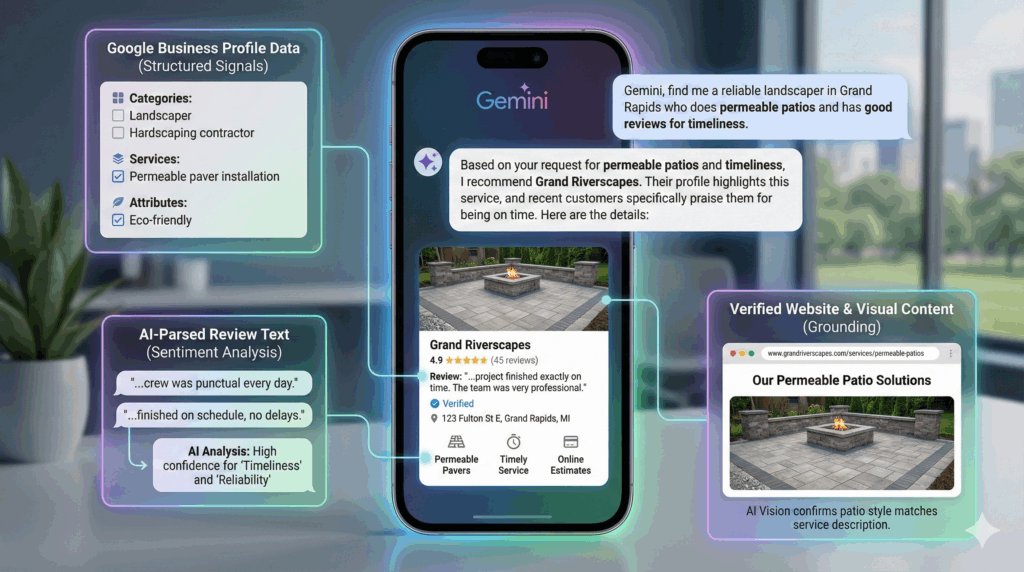
Every landscaper wants to be the name that pops up when someone asks an AI, “Who can install a paver patio near me?” And if they’re asking Google Gemini, there are a few easy things you can do to better your chances of being recommended.
When asked about local service providers, Gemini doesn’t guess. It pulls data from Google Maps and Google Search, connects the dots, and recommends the businesses it trusts most. If your profile carries good signals, you show up. If not, you get skipped.
Let’s fix that.
This guide breaks down exactly what Gemini looks for and how a landscaping company can feed it the right signals. Everything here comes straight from the tech that drives Gemini’s local recommendations.
Why Gemini Matters for Landscapers
People aren’t just typing into Google anymore. They’re asking AI assistants for help:
- “Find a landscaper who installs retaining walls.”
- “Who does lawn care in Rockford?”
- “What’s a good company for French drains?”
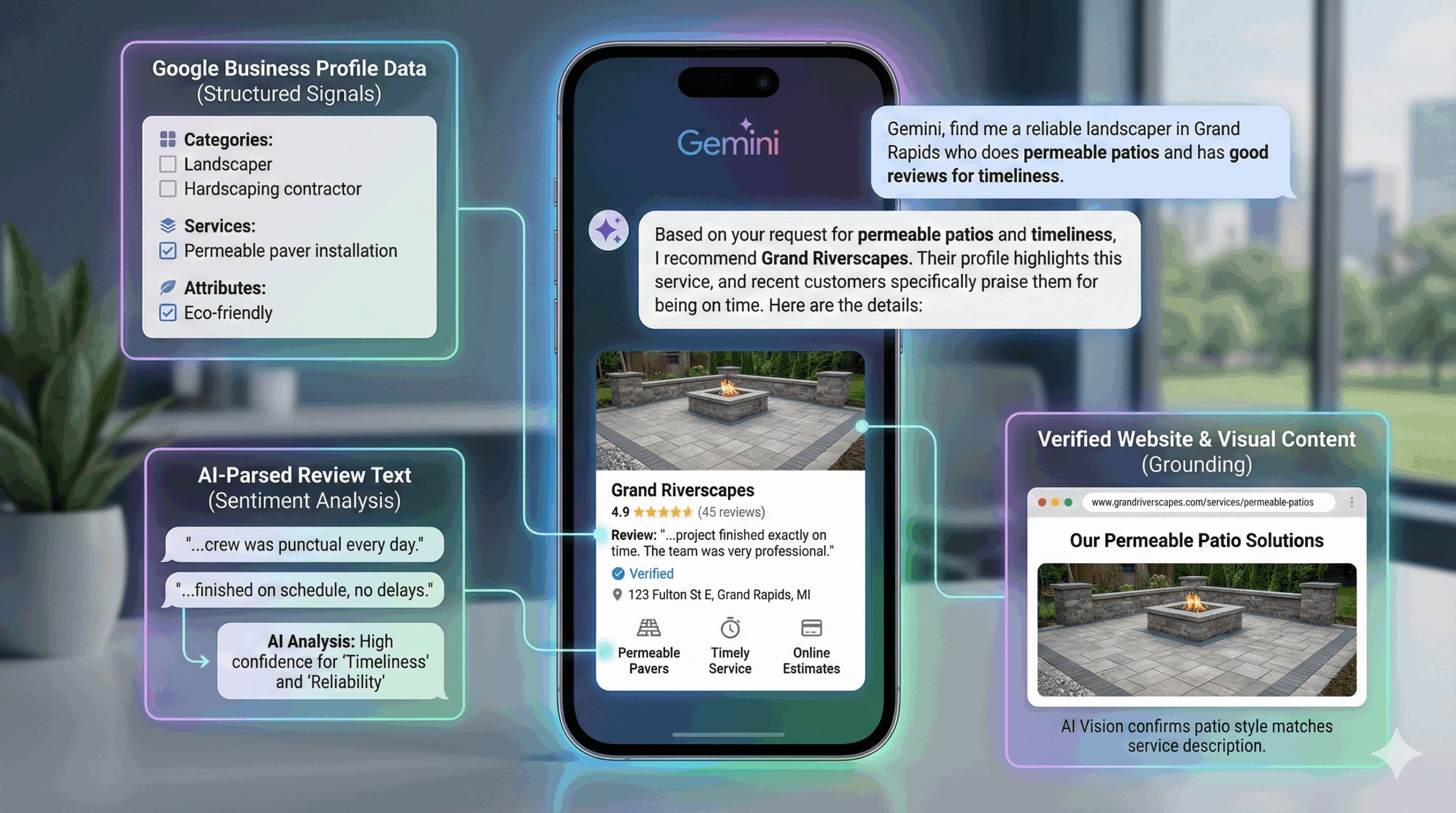
Gemini uses a process called Grounding, which pulls verified data from Google Maps and cross-checks it with your website. If you want to show up, your business needs to be visible, consistent, and credible in both places.
Luckily, landscapers already have the asset that Gemini loves most: real-world proof of work. You just need to surface it the right way.
1. Treat Your Google Business Profile Like a Data Feed
Your Google Business Profile (GBP) is Gemini’s main source of truth. Not your website. Not your social profiles. Your GBP. If it’s thin, outdated, or missing details, Gemini has nothing to match to a user’s question. An incomplete or unverified profile often removes a business from high-confidence results.
Do these things first:
Verify Your Business
Unverified landscapers rarely make it into AI-powered recommendations.
Choose Granular Categories
Avoid picking only “Landscaper.” Gemini scans for precision:
- Lawn care service
- Landscape designer
- Landscape architect
- Tree service
- Snow removal service
- Retaining wall supplier
- Mulch supplier
You won’t show up for “patio installer” if Gemini can’t see that you install patios.
Fill Out Attributes
Online estimates, veteran-owned, wheelchair accessible—attributes act as filters for AI recommendations. If someone asks, “Who offers online quotes?” Gemini uses those tags to narrow the list.
Clearly Define Service Areas
Service areas help Gemini avoid “hallucinating” locations you don’t serve. If a neighborhood isn’t listed, Gemini may avoid recommending you at all.
2. Build Review Text That AI Loves
Gemini reads review text like a hawk. It doesn’t just look at your star rating. It scans the words inside the reviews to determine relevance.
What this means for landscapers:
Ask for Descriptive Reviews
Not: “Great job!”
Better: “They installed a stone patio and fixed our drainage issues.”
Gemini matches user requests to phrases like:
- “retaining wall”
- “French drain”
- “sod installation”
- “tree trimming”
- “mulch delivery”
The more your customers describe what you did, the more AI learns about you.
Keep Reviews Coming
Fresh reviews signal that your business is active. Gemini prefers current data over old data.
Respond to Reviews
A quick reply shows engagement, another soft trust signal Gemini uses when ranking recommendations.
3. Back Up Your GBP With Strong Website Signals
Google Maps provides the structure. Your website acts as the validator. Gemini cross-checks your site to confirm what your GBP claims. If something appears on your GBP but not on your site, Gemini may treat the claim as unverified.
Here’s what landscapers should build:
Individual Service Pages
If you want AI visibility for:
- French drains
- Patio pavers
- Retaining walls
- Weekly lawn care
- Garden bed installation
Then each one needs its own page or detailed section.
Natural-Language FAQs
Gemini catalogs conversational questions. You win by answering questions the way people ask them:
- “How much does sod installation cost in West Michigan?”
- “Is a French drain worth it for a wet backyard?”
- “How long does a new lawn take to root?”
Use these questions as headers. Keep answers straightforward.
Local Schema Markup
Add LocalBusiness schema with:
- Business name
- Address
- Phone
- Hours
- Service area
Schema is machine-readable clarity, and Gemini thrives on it.
Consistent NAP
Your name, address, and phone (NAP) must match everywhere online. Consistency equals trust.
4. Give Gemini Real Photos to Work With
Google’s AI vision tools, including Gemini, don’t just “see” images. They understand them. They can distinguish a lawn edging job from a paver install. They know a before-and-after transformation. They identify the materials used.
What this means for landscapers:
- Post high-quality photos of real work
- Stock photos tell AI nothing. Originals tell it everything.
Upload images that show:
- Hardscape installations
- Finished sod
- Drainage systems
- Grading work
- Front-yard transformations
- Seasonal maintenance results
Fresh photos reinforce that your company is active.
Finally, use descriptive file names when possible; “paver-patio-grand-rapids.jpg” beats “IMG_2948.jpg.”
5. Build Consistency Across the Web
Gemini cross-references multiple sources to avoid misinformation. Inconsistent data makes it hesitant to recommend a business.
Things to keep aligned:
- Listing profiles (Yelp, BBB, Angi, Houzz)
- Website NAP
- GBP categories
- Services offered
- Hours
Think of Gemini as the world’s most powerful fact-checker. If your facts don’t line up, it plays it safe and skips you.
What Landscapers Should Do This Week
Here’s your punch list:
- Verify and expand your Google Business Profile
- Add every service category you legitimately provide
- Ask five happy customers for detailed project-based reviews
- Upload ten new job photos
- Create or improve individual service pages
- Add natural-language FAQs
- Double-check NAP consistency across the web
The landscapers who do this now have a strong chance of owning AI visibility by spring.
Bring Avalanche Into the Mix
Search visibility isn’t governed solely by keywords anymore. It’s data alignment. It’s showing Gemini enough proof that you’re the obvious pick for the job.
Avalanche helps landscapers build that foundation and turn it into qualified leads. Want to show up where customers are actually searching? Let’s build your AI-ready strategy together.
Get a free visibility review →
Ready to Get More Leads?
This guide is based on years of experience helping landscapers turn their websites into lead-generating machines. Feel free to take and use it with our blessings — but if you'd rather hire a relentless team of experts so you can get back out in clients' yards, let's talk.
Schedule Intro Call